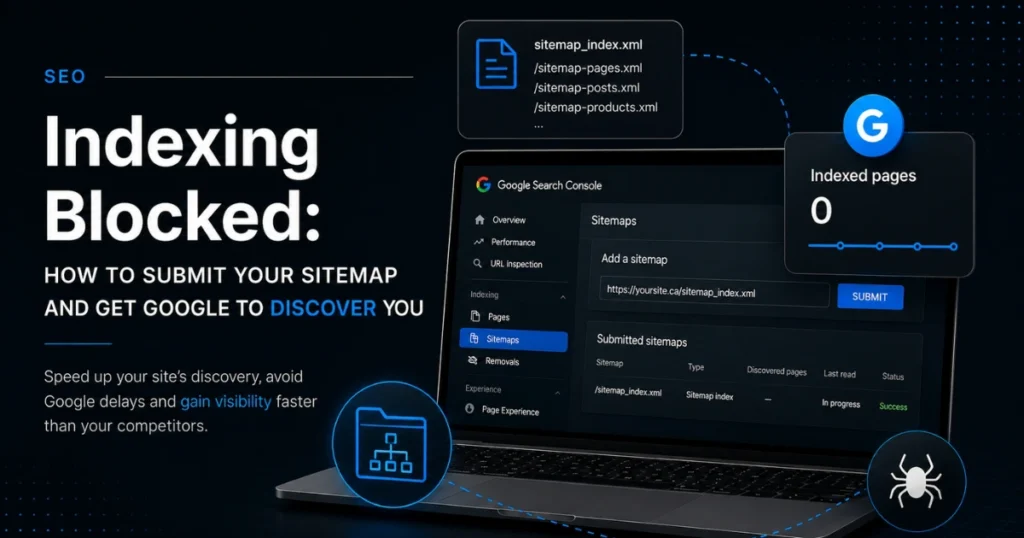
It is the essential starting point for any business website in Canada: for your clients to find you, your pages must exist on search engines. To speed up this process, configuring a website sitemap or a site map is crucial.
Yet, a frustrating situation happens all too often: you submit the main sitemap index link in Google Search Console, no error message appears, but your discovered pages counter remains stubbornly at zero. Why does this bug occur, and how do you fix it?
The Critical Impact of Google’s Crawl Delays
It is important to understand that Google takes time to crawl all the pages and content of a website. This crawling process requires immense resources from search bots. If your sitemap is not perfectly processed from the very start, it gets pushed to the back burner, which heavily delays your visibility gains against your local competitors.
When a tool like SEOPress generates your WordPress sitemap XML, it creates a general index that groups multiple sub-files together. This is where Google’s bot can get confused: it validates the main index but overlooks reading the individual sitemaps contained inside it.
The Solution: Force the Ingestion of Individual Sitemaps
If your main index link is not triggering any content discovery, the solution is to bypass the global index and manually add a new sitemap for each type of content.
Do not settle for the general index address. Submit these individual URLs directly into your search console:
- The page sitemap: page-sitemap.xml
- The post sitemap: post-sitemap.xml
- The product sitemap: product-sitemap.xml
How to Confirm the Operation Was Successful?
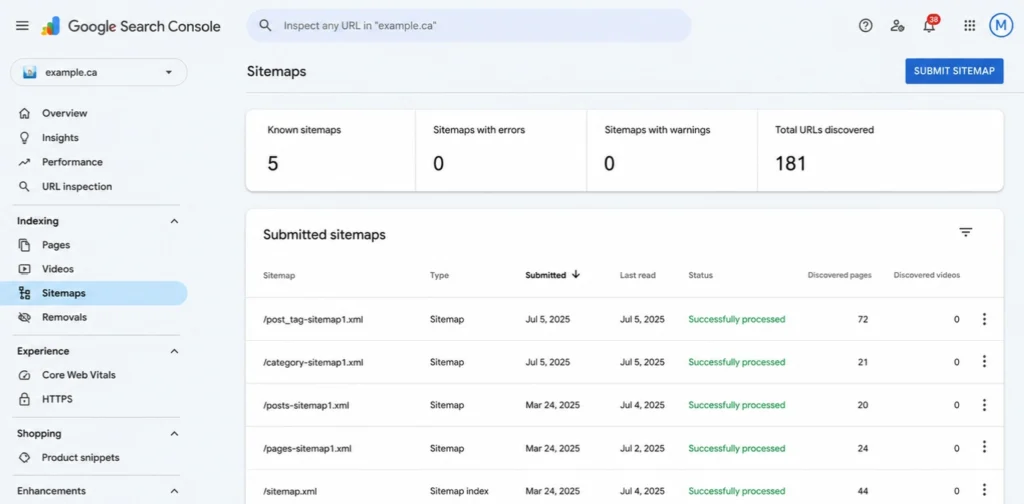
The definitive indicator that a sitemap has been properly submitted and processed can be found right in the Google Search Console tracking table:
- The Status column must display “Success” inside a green badge.
- The number of Discovered pages on the right side of the row must be greater than 0.
As long as this number reads zero, Google has not begun processing your sitemap URLs, grinding your business platform’s overall indexing to a halt.
The Best Tools to Structure Your Website Sitemap
If you need to create a sitemap, using a specialized extension is essential to automate and update your files every time your content changes. For SMB managers, leveraging the best sitemap plugin for WordPress (such as SEOPress) remains the most reliable option to properly structure your data files.
| Technical Requirement | Recommended Solution | SEO Objective |
| Automatic Generation | WordPress SEO Plugins | Keep the sitemap URL updated in real time. |
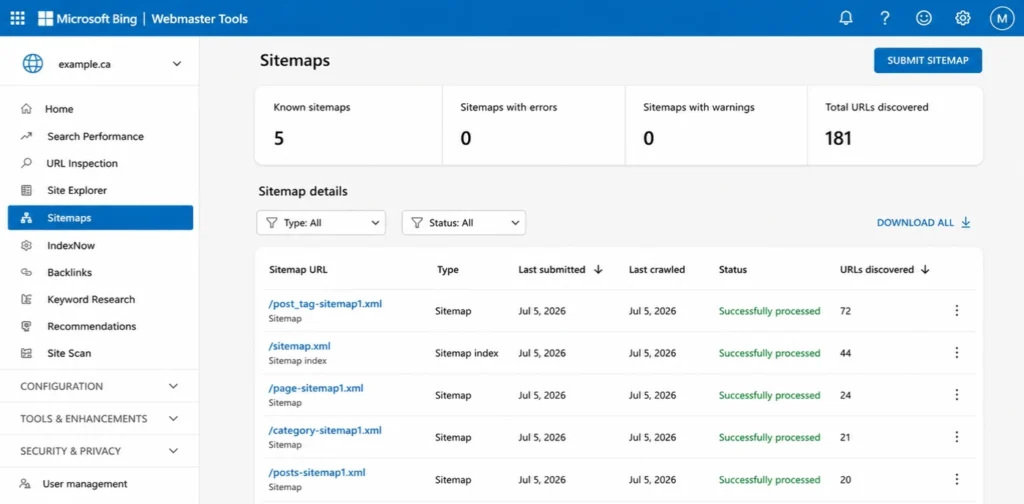
| Bing Submission | Bing Webmaster Tools | Ensure visibility across Microsoft networks. |
| Google Submission | Google Search Console | Force detection of individual sitemaps (Page, Post, Product). |
Do not let a technical parsing error sabotage your copywriting and SEO efforts. Rigorous monitoring of your search console tools is the only way to ensure your website generates the qualified leads your business deserves.
Warning: Your URL Structure Varies Based on Your SEO Plugin
It is crucial to note that the exact names of your individual sitemaps depend entirely on the SEO plugin running on your WordPress site. While the underlying approach remains identical (submitting files separately), each tool uses its own nomenclature.
Here is what your addresses generally look like depending on the extension you have installed:
- With SEOPress or Yoast SEO: Files are typically named page-sitemap.xml, post-sitemap.xml, and product-sitemap.xml.
- With Rank Math SEO: This extension uses a slightly different format, often structured as page-sitemap.xml or grouped by specific post types within its settings.
- With All in One SEO (AIOSEO): The URLs might look like sitemap-page.xml, sitemap-post.xml, or sitemap-product.xml (placing the word “sitemap” at the beginning).
Before submitting anything in Google Search Console, always visit your main sitemap index (often sitemap_index.xml) in your browser. Click on the internal links to copy and paste the exact address generated by your plugin to avoid a 404 page-not-found error.
The robots.txt File: Provide a Direct Shortcut for Crawl Bots
Beyond Google Search Console, there is a universal method to indicate your site map locations to all search engines simultaneously: the robots.txt file.
Robots.txt : https://your-site.ca/robots.txt
This small text file, located at the root of your website, serves as a roadmap for search bots (such as Googlebot or Bingbot) when they crawl your platform. Listing your various sitemap addresses inside it allows bots to find your content instantly, without even waiting for you to submit them manually.
To optimize your file, simply append a directive line for each individual sitemap file at the very bottom of your document, like this:
Sitemap: https://www.your-site.ca/page-sitemap.xml
Sitemap: https://www.your-site.ca/post-sitemap.xml
Sitemap: https://www.your-site.ca/product-sitemap.xml
Why Does It Pay Off? Alternative search engines like Bing or Yahoo do not use Google Search Console. By embedding these lines into your robots.txt file, you provide a clear roadmap to all web crawlers. This maximizes your global indexing capabilities and drastically accelerates the discovery of your new products or blog posts.
Ready to Unlock Your Visibility on Search Engines?
A misconfigured sitemap can keep your business invisible online for months. Entrust the technical optimization and monitoring of your search console to our specialists.